
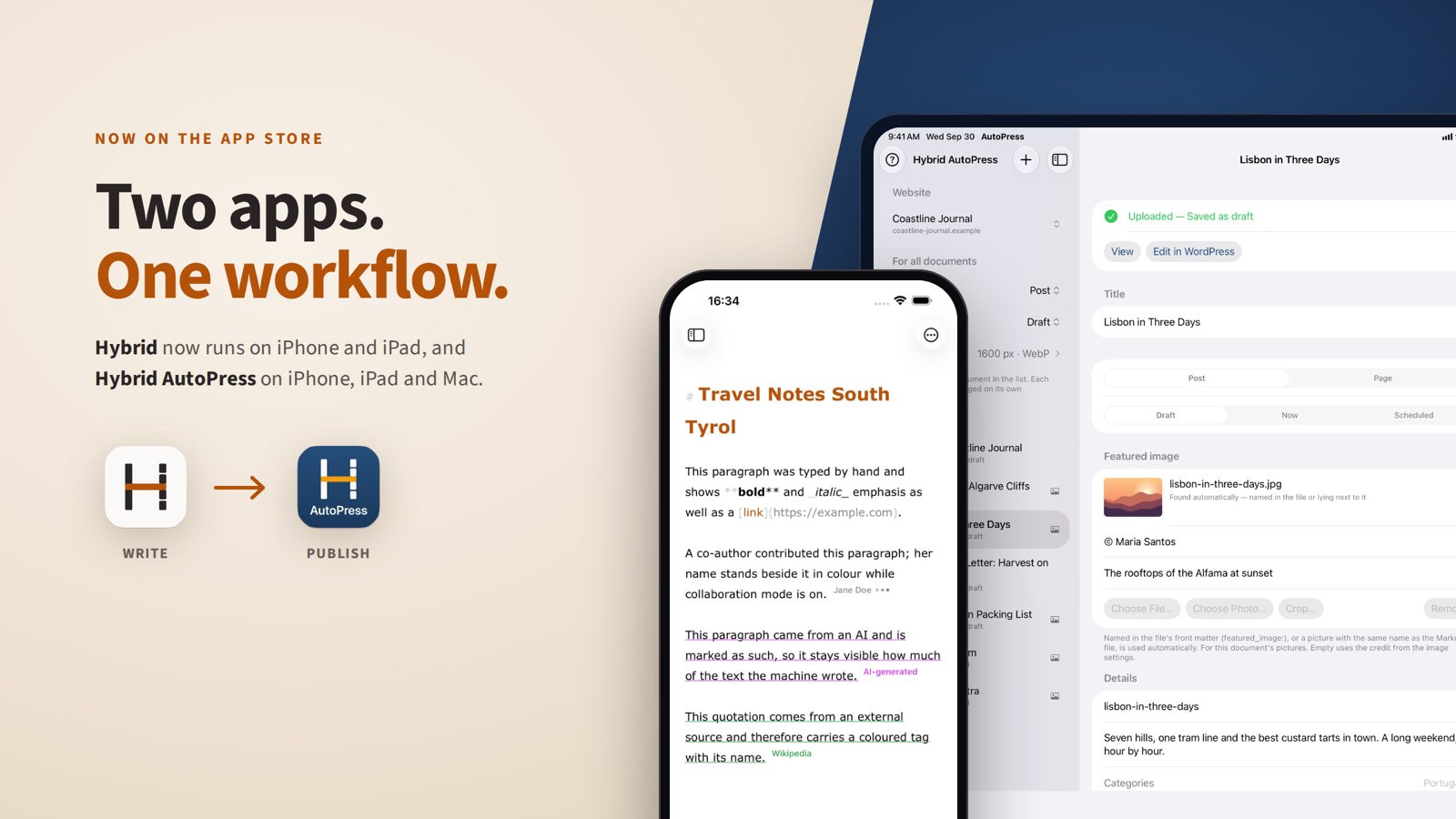
Done: both apps are in the store. My Markdown editor Hybrid, which has been available for the Mac for a few weeks, now runs on iPhone and iPad as well. And Hybrid AutoPress, my uploader for WordPress, has launched on the App Store and the Mac App Store, for all three devices at once.
That completes the workflow I built the two apps for. The text is written in Hybrid, and AutoPress gets it onto the website. At the desk, on the sofa or on the train.
Hybrid: who wrote this?

Hybrid answers a question that comes up constantly when writing with AI: which sentence is mine, which came from the machine, which from a source? What I type counts as mine automatically. I mark AI text myself with a tap, and sources get a name and a colour. The sidebar shows how large each share is. The saved Markdown keeps none of this, just clean text.
On iPhone and iPad, Hybrid does what the Mac version does:
- Real-time collaboration via iCloud, including mixed sessions across Mac, iPad and iPhone. Invited guests write without a subscription of their own.
- Live preview, right next to the text on the iPad and one tap away on the iPhone.
- Comparing two AI answers side by side, with the differences highlighted.
- Export as PDF and Word, as clean Markdown or as HTML for WordPress and other CMS.
- Version history in your own iCloud and a Face ID lock.
It took a while to get here. The iOS version needed twelve test builds and four beta rounds, and then Apple rejected it over a single word. That story is in the post “Rejected over seven letters”. In short: Hybrid is not available in mainland China, but it is everywhere else.
Hybrid is free to download and fully usable for seven days. After that it needs the Hybrid Pro subscription, at $2.99 a month or $24.99 a year in the US. It covers all your devices. Without a subscription Hybrid stays a reader: opening and reading still work, editing and exporting do not. Hybrid runs on iOS and iPadOS 16 or later and on macOS 13 or later.


AutoPress: a folder in, a website out
AutoPress uploads Markdown files to WordPress, many at once. Every file becomes a post or a page, with headings, lists, tables and images. Everything arrives as separate, editable blocks in the block editor, not as one big lump of HTML.
AutoPress scales images down to web size before uploading, with optional cropping and a credit in the corner. Categories, tags and SEO fields for Yoast SEO, Rank Math, SEOPress and Jetpack can be sent along. A whole batch can be staggered, say one post a day.
Nobody needs an account with me. AutoPress talks only to your own website, using a WordPress application password that is kept in the keychain and can be revoked in your WordPress profile at any time. There is no tracking.
The last round with App Review
I submitted AutoPress on 1 October, after five builds in one day and a goat. The Mac version came back with a list.
The first point was a formality. The subtitle contained “WordPress”, and other companies’ brand names have no place there. It now reads “Publish Markdown to your blog”, in all nine languages.
The second point was my mistake. The reviewers could not sign in to the test website, because the application password I had left for them was no longer valid. A new one was quickly created. And the app now explains more precisely why a sign-in fails, instead of reporting a blocked interface across the board.
The third point taught me something. “Sign In via Browser” seemed to do nothing, Apple wrote. Something did happen, but the app showed the progress indicator and the error message below the visible edge of the window. Both now appear directly under the button. Apple also wanted a menu command that reopens the main window after it has been closed. It is called “Show Main Window” and now sits in the Window menu, with Command-0.
Two builds later, everything was dealt with.
AutoPress is free to download and fully usable for seven days, with no account and no payment details. After that there is AutoPress Pro, at $2.99 a month or $22.99 a year in the US. Without a subscription the app carries on as a free version: one document per upload, images at full size, no scheduling and no metadata fields. AutoPress needs iOS or iPadOS 17 or macOS 14, and a WordPress website from version 5.6 that is reachable over https.
What comes next
For now, texts travel from Hybrid to AutoPress as a file. That is going to get more direct. Next, Hybrid gets a “Send to AutoPress” button that hands over a document, images included, in one click. Both updates are in the works and currently being tested.
There is more about the two apps at hybrid-editor.com and hybrid-autopress.com. And if you try one of the apps: I’d love to hear what you think, and a rating on the App Store helps too.